Dashboard
This is your main starting point in the system. From here you can view your documents and graphs, and interact with them.
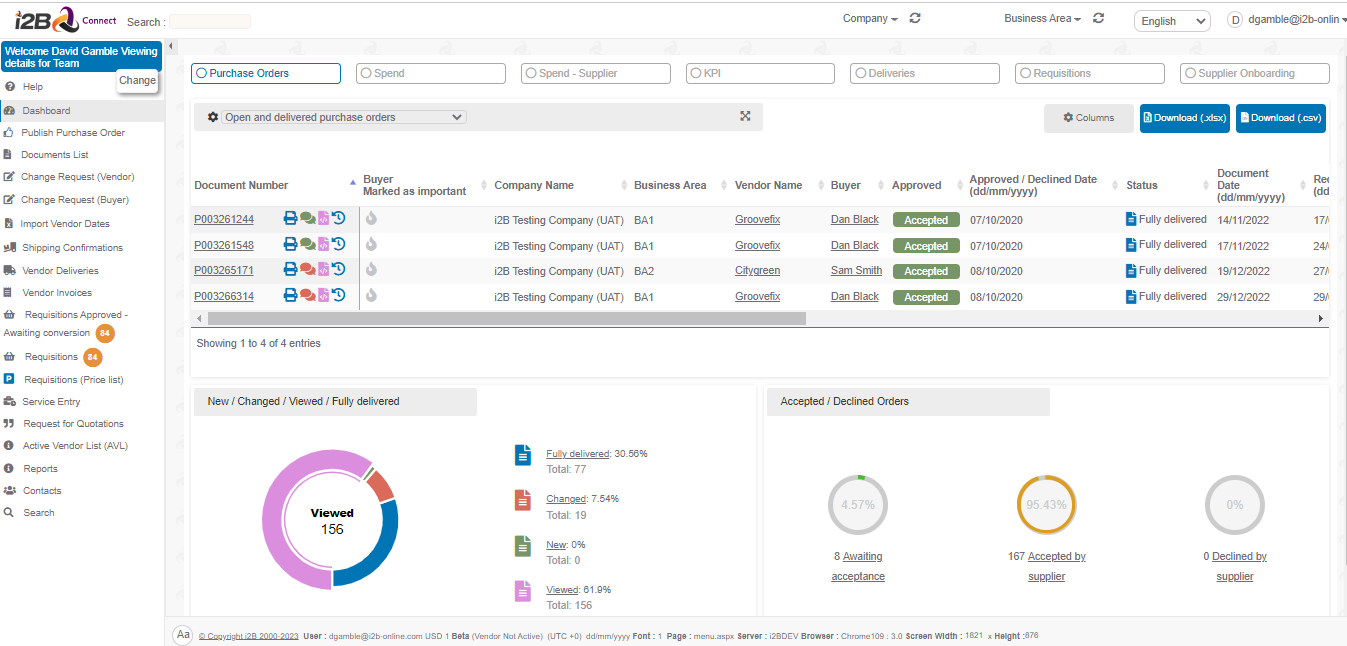
Example screen shot can be seen below:
Documents:
Using the dashboard display, you can view details of your documents. Example below:
As the example on the previous page shows, each document number is underlined, to show it is a link to the actual document itself.
Graphs:
Various graphs are available on your dashboard, the majority of which are interactive. They can be toggled, or clicked to link to data tables, depending on the contents of the graph.
Purchase Orders Dashboard
Here you can view all Purchase Order / Delivery Schedules and lines. You can filter them on those Awaiting Response, Open , Delivered and declined.
Deliveries Orders Dashboard
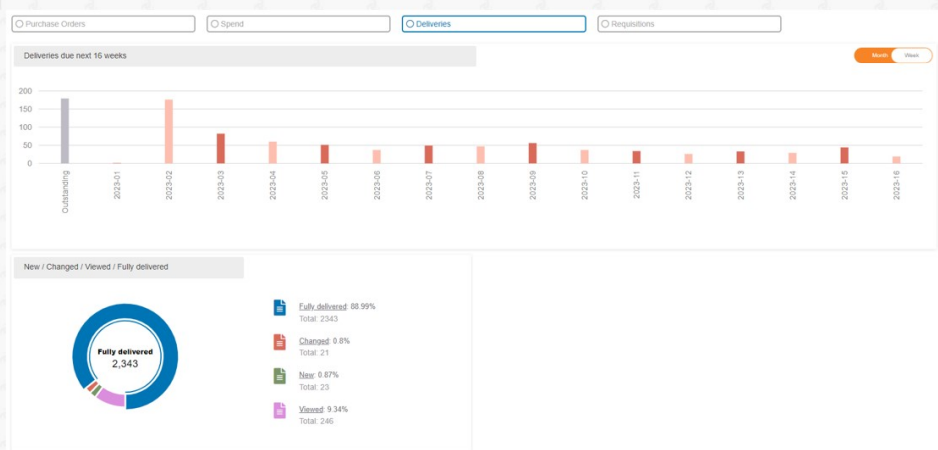
Use this dashboard with interactive graph to detail your deliveries due in the next 12 months. You can filter this monthly / weekly
0 Comments